Website Architecture for SEO: A Beginner's Guide
By Marta Ellison · Published · 4 min read
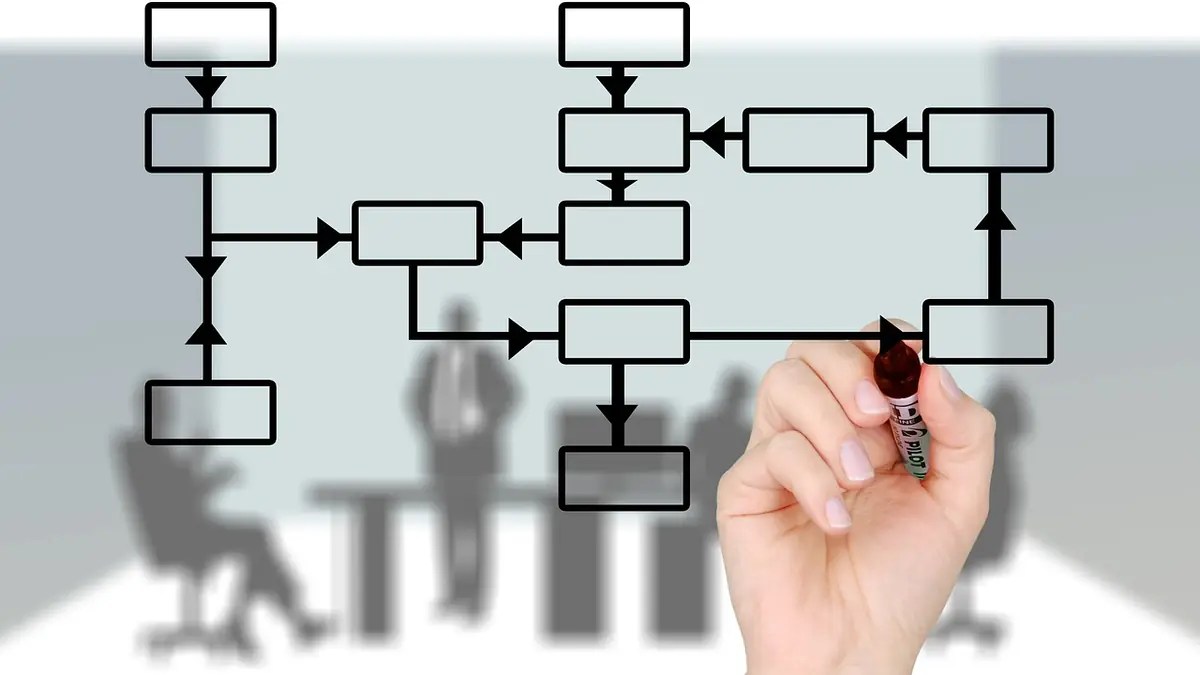
Website architecture is the backbone of SEO. It determines how search engines crawl your site, how link equity flows, and how easily users find content. A well-planned structure can boost rankings, while a messy one can bury your best pages.
This guide breaks down the key elements of SEO-friendly architecture—URL depth, internal linking, and crawl efficiency—with practical tips and real-world benchmarks to help you build a site that both users and search engines love.
What Is Website Architecture and Why It Matters
Website architecture refers to the hierarchical arrangement of your pages and how they link to each other. It's the skeleton of your site: categories, subcategories, and individual pages connected by internal links. For SEO, a logical structure helps search engines understand which pages are important and how they relate.
Search engines allocate a crawl budget to each site, and a flat, well-linked architecture ensures that budget is spent on valuable pages. Poor architecture can lead to orphaned pages (not linked from anywhere) and deep pages that are rarely crawled, hurting their visibility.
Good architecture also improves user experience. Visitors can navigate intuitively, find related content, and spend more time on your site—signals that search engines may interpret positively. In short, architecture is not just a technical detail; it's a fundamental SEO pillar.
- Aim for a click depth of 3 or fewer from the homepage to any important page.
- Keep URLs short, descriptive, and keyword-rich.
- Use a logical category hierarchy that mirrors user intent.
URL Depth and Crawl Efficiency
URL depth is the number of clicks required to reach a page from the homepage. Search engines prefer shallow sites: pages within 3-4 clicks are crawled more frequently and rank better on average. Deep pages (5+ clicks) often suffer from low crawl frequency and diluted link equity.
A common mistake is creating deep hierarchies like Home > Category > Subcategory > Sub-subcategory > Product. Each level adds a click and dilutes authority. Instead, flatten your structure where possible: use hub pages that link directly to key content, and limit category levels to two or three.
Crawl efficiency also depends on internal linking. A strong internal link network ensures that link equity flows to important pages and that search engines can discover new content quickly. Tools like XML sitemaps and breadcrumb navigation further aid crawling.
- Keep important pages within 3 clicks of the homepage.
- Use breadcrumbs to show hierarchy and provide internal links.
- Avoid orphan pages by linking from relevant hubs.
Internal Linking Best Practices
Internal links are the connective tissue of your site. They pass link equity (often called 'link juice') from one page to another, help search engines understand context, and guide users through your content. Strategic internal linking can significantly boost rankings for target pages.
Start by identifying your most important pages (money pages, cornerstone content) and link to them from high-authority pages like the homepage or popular blog posts. Use descriptive anchor text that includes relevant keywords, but avoid over-optimization—variety is key.
A good rule of thumb: every page should have at least 3-5 internal links pointing to it, and every page should link out to a few relevant pages. This creates a web of connections that search engines can follow. Also, regularly audit for broken links and update them.
For more on how internal linking fits into broader SEO efforts, see our guide on On-Page vs Off-Page SEO: What Each One Actually Does.
- Use descriptive anchor text, not 'click here'.
- Link from high-authority pages to important pages.
- Limit the number of links per page to avoid diluting equity.
- Fix broken internal links promptly.
Common Architecture Mistakes to Avoid
Many sites suffer from architecture issues that silently hurt SEO. One common mistake is a flat structure with no hierarchy—every page links to every other page, creating a mess. Another is excessive depth, where content is buried several clicks deep.
Orphan pages (pages with no internal links) are another problem. They are invisible to crawlers unless submitted via sitemap, and even then, they receive little link equity. Similarly, using JavaScript or AJAX for navigation can hinder crawling if not implemented carefully.
Finally, avoid changing URLs without proper redirects. Frequent URL changes create broken links and confuse search engines. Plan your architecture upfront and stick to it; if changes are necessary, use 301 redirects.
- Don't bury important pages deep in the hierarchy.
- Ensure all pages are linked from at least one other page.
- Use 301 redirects for any URL changes.
- Test navigation in a crawler tool like Screaming Frog.
How Architecture Affects Rankings and User Experience
Website architecture influences rankings indirectly through crawlability, link equity distribution, and user engagement. Pages that are easy to find and well-linked tend to rank higher because they receive more internal links and are crawled more often.
User experience is equally important. A clear structure helps visitors navigate and find what they need, reducing bounce rates and increasing time on site. Search engines use engagement metrics as ranking signals, so a user-friendly architecture can indirectly boost SEO.
Moreover, a logical structure makes it easier to scale your site. As you add content, a solid hierarchy prevents chaos and ensures new pages are integrated seamlessly. This is why architecture should be a priority from day one.
- Shallow architecture improves crawl frequency.
- Logical hierarchy enhances user navigation.
- Scalable structure supports future content growth.
| Model | Typical Click Depth | Crawl Efficiency | Link Equity Flow | Best For |
|---|---|---|---|---|
| Flat (all pages linked from homepage) | 1-2 | High | Even but diluted | Small sites (<50 pages) |
| Hierarchical (category > subcategory) | 3-4 | Medium | Concentrated at top | Most business sites |
| Deep hierarchy (5+ levels) | 5+ | Low | Diluted and uneven | Large e-commerce (avoid if possible) |
| Hub-and-spoke (pillar pages) | 2-3 | High | Strong to hubs | Content-heavy sites |
| Matrix (cross-linking) | 2-3 | Medium | Spread but messy | Rarely recommended |
Auditing and Improving Your Site Architecture
Start by crawling your site with a tool like Screaming Frog or Sitebulb to visualize your site's structure. Identify pages with high click depth, orphan pages, and excessive redirects. Prioritize fixes based on potential impact.
Next, review your internal linking. Are important pages linked from the homepage? Do blog posts link to relevant product pages? Use a tool like Ahrefs or Moz to analyze internal link distribution and find opportunities to add links.
Finally, monitor your crawl budget in Google Search Console. If you see many pages 'Discovered - currently not indexed', it may indicate crawl inefficiency. Improving architecture can help. For a deeper dive into how long SEO changes take to show results, read How Long Does SEO Take to Show Results?.
- Crawl your site to identify depth and orphan pages.
- Use internal linking tools to find link opportunities.
- Monitor crawl stats in Google Search Console.
- Keep important pages within 3 clicks of the homepage.
- Use internal links strategically to distribute link equity.
- Avoid orphan pages and excessive URL depth.
- Regularly audit architecture with crawling tools.
Marta has spent years helping small businesses make sense of search marketing without the jargon. She focuses on practical SEO audits, local visibility and content strategy for owner-run companies. Her writing aims to turn confusing ranking advice into steps anyone can follow.